> For the complete documentation index, see [llms.txt](https://beyond-3.gitbook.io/beyond-docs/llms.txt). Markdown versions of documentation pages are available by appending `.md` to page URLs; this page is available as [Markdown](https://beyond-3.gitbook.io/beyond-docs/blender-addons/readme.md).

# CamKeys (Formerly CamShapeMatic) - For Blender

{% tabs %}
{% tab title="English" %}

### Start with your subject

Open the CamKeys tab in the 3D Viewport sidebar (N). In a new scene, choose your character mesh, then choose camera-angle shape keys, Forced Perspective, or Dolly Zoom. Start in Viewport to try the effect by orbiting; choose Camera to use a shot camera or bake the result. Already set up? Use Run Setup to return to the wizard, or open the full controls to work directly.

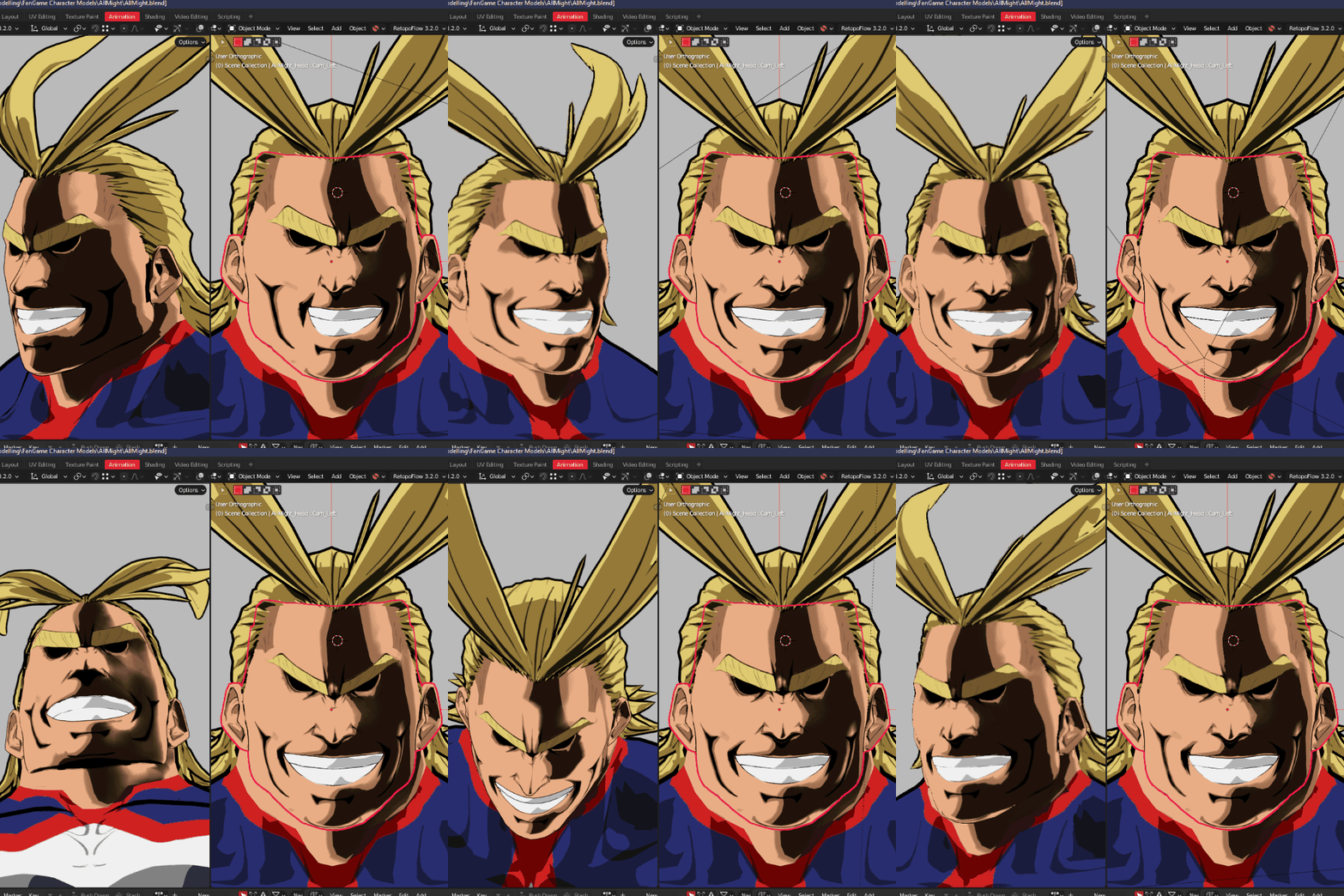
For an illustrated pose, open Forced Perspective and choose Subject Size. Enlarge the front plane for a fist reaching toward the viewer, leave the subject plane on the face, and shrink or offset the back plane to separate the silhouette. Choose Lens instead to change apparent focal length while CamKeys redistributes the mesh to help retain volume.

Click the question mark beside a feature for a guide. Many guides play short, silent loops. As you orbit, the main and linking panels now reuse unchanged controls and update live values in place, reducing the work needed to redraw long lists.

<figure><img src="https://2982628392-files.gitbook.io/~/files/v0/b/gitbook-x-prod.appspot.com/o/spaces%2F9A4q1t5S4HBuzxlTpVqf%2Fuploads%2FC1pWszOjWEwkc6FBtowY%2FCamKeys-4-setup-subject-5c4b3de2.png?alt=media" alt="Choose your mesh from the Subject field or use the eyedropper, then click Next."><figcaption><p>Choose your mesh from the Subject field or use the eyedropper, then click Next.</p></figcaption></figure>

<figure><img src="https://2982628392-files.gitbook.io/~/files/v0/b/gitbook-x-prod.appspot.com/o/spaces%2F9A4q1t5S4HBuzxlTpVqf%2Fuploads%2FL8IwenoBOIXbWAWigyJp%2FCamKeys-4-setup-walkthrough-1d0257cb.gif?alt=media" alt="From Choose your subject to Open controls: a camera-angle setup using the manual capture route."><figcaption><p>From Choose your subject to Open controls: a camera-angle setup using the manual capture route.</p></figcaption></figure>

### Features

<table><thead><tr><th align="center">Shapekeys x Camera Angle</th><th width="229.666748046875" align="center">Properties x Camera Angle</th><th width="277.6666259765625" align="center">Forced Perspective</th></tr></thead><tbody><tr><td align="center"><img src="https://assets.superhivemarket.com/store/productimage/287541/image/52930fbb1ae661d43735fe6b65d3efe5.gif" alt=""></td><td align="center"><img src="https://2982628392-files.gitbook.io/~/files/v0/b/gitbook-x-prod.appspot.com/o/spaces%2F9A4q1t5S4HBuzxlTpVqf%2Fuploads%2FPMJRZMrqGIXJMezwRb7d%2FCamkeys%20-%20Camprops.gif?alt=media&#x26;token=a4211647-197d-4690-8c65-7d988f41d4b3" alt=""></td><td align="center"><img src="https://2982628392-files.gitbook.io/~/files/v0/b/gitbook-x-prod.appspot.com/o/spaces%2F9A4q1t5S4HBuzxlTpVqf%2Fuploads%2FTrbM6XaeAbetWM3PI1Jy%2FCamKeys-4-character-perspective-b46d53bf.gif?alt=media" alt="Foreshortened character pose"></td></tr></tbody></table>

* Unlimited Camera Angles: For each object, you can capture “CamKeys” / "CamProps" at as many camera angles as you'd like!
* Forced Perspective: Custom FOV per object! Like an artist on paper, push or pull certain parts of your character / background closer or further from the camera! For example, make a punch or kick look large and artistic towards the camera! (All configurable with falloff curves).
* Camera vs. Viewport Option: Choose to drive the animation using either the selected camera or the 3D viewport (Note: Keyframe baking works only when using Camera mode).
* Bone Tracking: Works with rigged characters! Select a specific bone to track so Shapekey / Property adjustments occur relative to that bone’s orientation.
* Keyframe Baking: Automatically bake the driven Shapekey values over a range of frames, enabling you to generate animation data quickly.
* Interface language: the panels, wizard and feature guides follow Blender’s interface language. Character, bone and shape-key names stay as authored.
* **Camera Effect Locks:** Dolly Zoom adjusts the real lens while you zoom toward or away from your subject. Pincushion and Tangential add motion-driven geometry warps, using native middle-mouse navigation.
* **Lens Compensation and Expressions:** tune apparent focal length at different lens stops and blend shape keys or VRM expressions with field of view.
* **Billboard Emulation:** step a whole character or separate head, body, limbs and custom bone groups, with per-group angle settings and blended or rigid boundaries.

{% embed url="<https://www.youtube.com/watch?v=Lu3yfi9SL44&autoplay=1&_autoplay=1&_loop=1&loop=1&mute=1&playlist=Lu3yfi9SL44&playsinline=1>" %}
{% endtab %}
{% endtabs %}